As your company's George Business admin, you can go to the "Other" sub-menu to give additional permissions to different users or roles.

Last Article Update 27.01.2026
As your company's George Business admin, you can go to the "Other" sub-menu to give additional permissions to different users or roles.
To manage additional permissions, please to your admin user section (User Profile > Permissions).
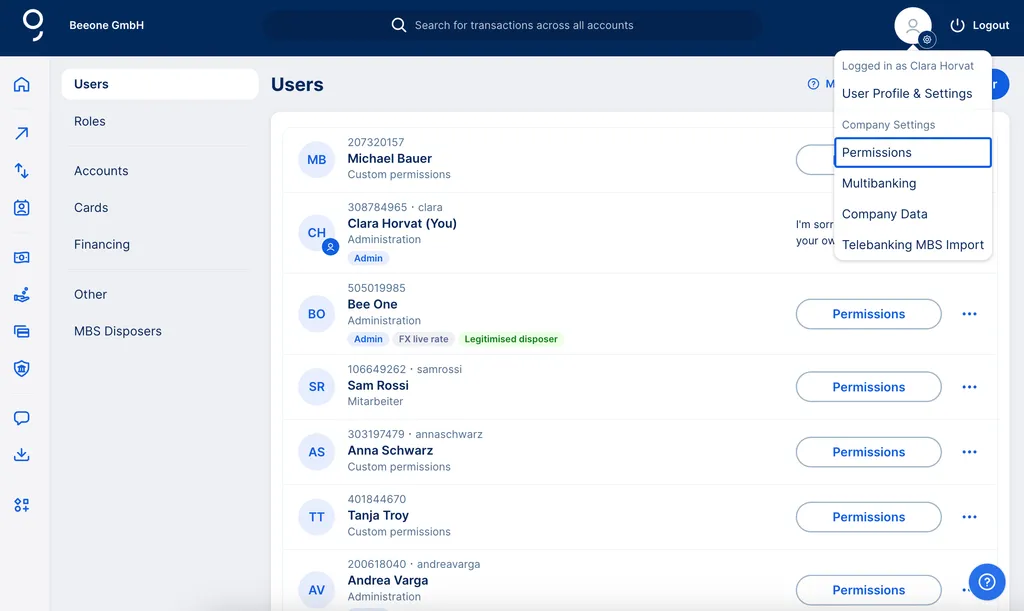
In the left side menu, you will find "Other".
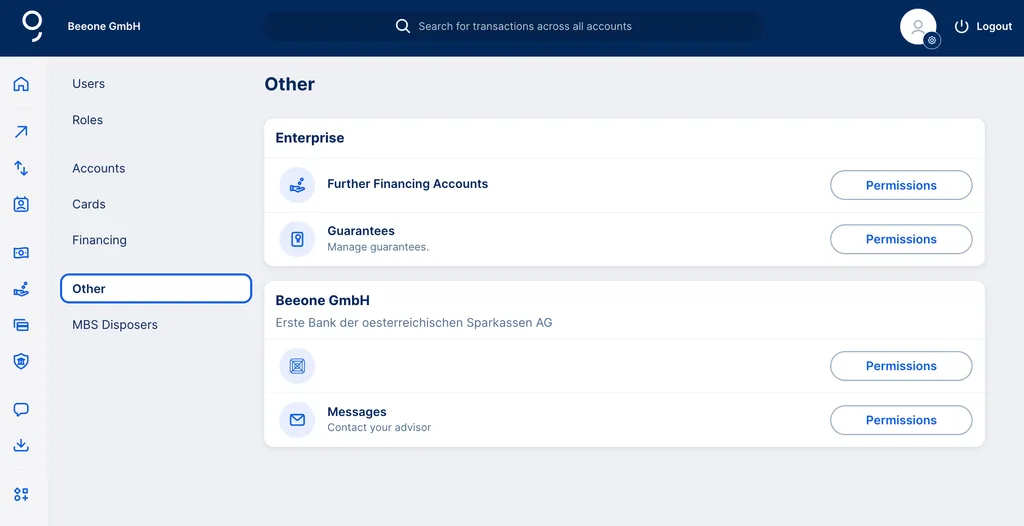
What you see under other permissions depends on company and specific circumstances. Following are some topics that might show up here:
Basically, there are two types of permission you can give; viewing (e.g. see balance, read messages) and managing (e.g. change details, write message).
Once you're in the "Other" sub-menu, you can manage permissions for messages to your advisor.
First click "Permissions" next to "Messages". Now you can decide to assign permissions by user or role.
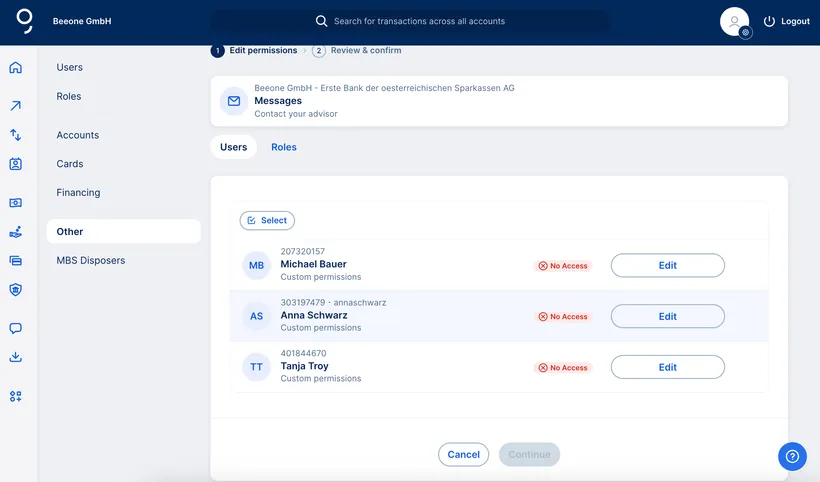
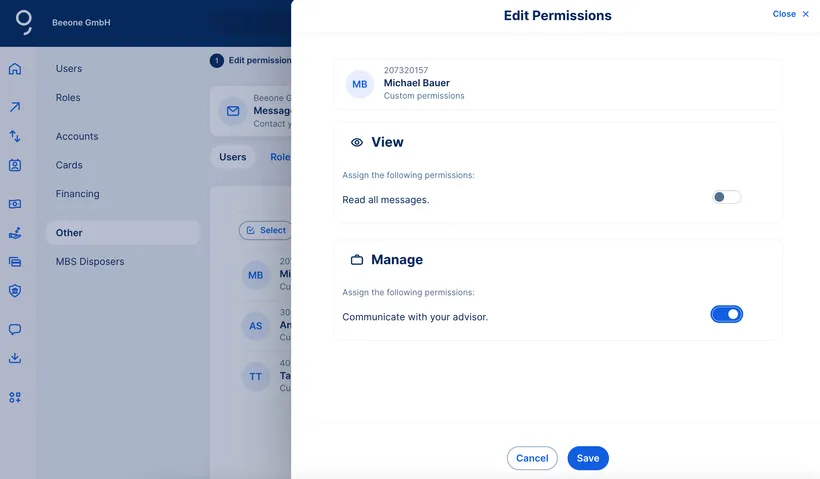
Choose one or more users/roles and click "Edit". There are two types of permissions for each user or role: "View" and "Manage".
"Manage" means the user can communicate in the company's name with your advisor (more on that here). Users with only this permission can access only their own messages and conversations with an advisor.
Regardless of permissions, all users can go to Contact and - from the Messages sub-menu - use the topic "Internet Banking - George Business" to get in touch. Messages with this topic reach the George Business Helpdesk team, while all others go to your advisor.
If you administrate your George Business license for more than one company, or you have a customer relationship with multiple Erste Bank and Sparkasse institutes, you will accordingly find multiple entries in the "Other" sub-menu. You can give users or roles permissions - as described above - respectively for a single company or many.
Author: Dag Erik Zimen