In line with the EU Instant Payments Regulation (IPR), George is making some changes to SEPA transfers. Here’s an overview of what to expect. Spoiler alert: It’s all about keeping your money even safer.

Last Article Update 10.10.2025
In line with the EU Instant Payments Regulation (IPR), George is making some changes to SEPA transfers. Here’s an overview of what to expect. Spoiler alert: It’s all about keeping your money even safer.
From 09 October 2025, you'll notice some new features when you send Euros with a SEPA transfer - which includes all domestic transfers. SEPA stands for "Single Euro Payments Area". You can find a list of countries supporting SEPA transfers here.
What it is:
Before every SEPA transfer, George checks with the recipient bank if the recipient's IBAN & the recipient's name match. This is to make sure you’re sending money to the right person.
Why it helps:
The Verification of Payee service gives you peace of mind that your money is going where it should. It helps you catch small mistakes, like entering a valid IBAN that actually belongs to someone else. It also helps protect you from scammers who use false identities, such as fake business names. George can now check directly if an account really belongs to your intended recipient.
How it works:
When you enter the recipient details, George automatically checks with the recipient bank if name and IBAN match. George will notify you of the outcome with one of the following messages. Here's what to do in each case:
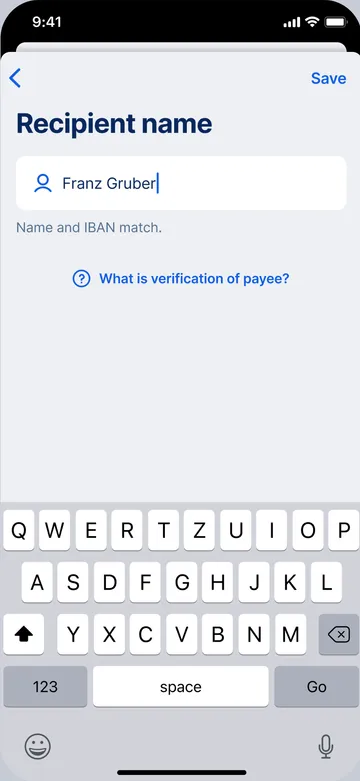
Name and IBAN match.
The IBAN is registered to the exact name you entered. No further action is required.
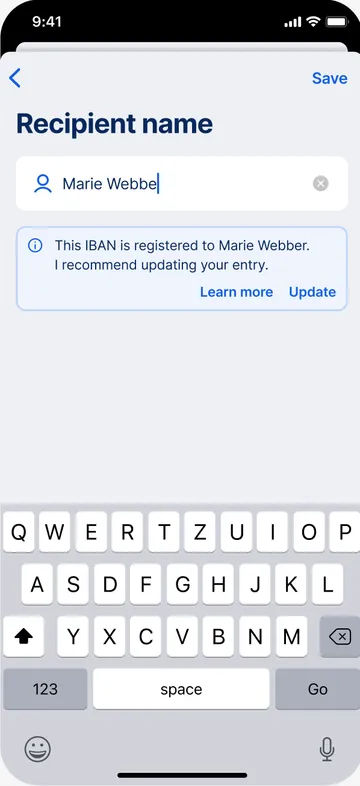
The IBAN is registered to ...
The name you entered almost matches the IBAN. You may get this result if you made a typo, e.g. "Marie Webbe" instead of "Marie Webber", or if part of the name is missing, e.g. "D. Erik" instead of "Dag Erik". George will reveal the full name registered to the IBAN and recommend that you update your entry. If the recipient is saved under Contacts, George can also update your Address Book entry for you.
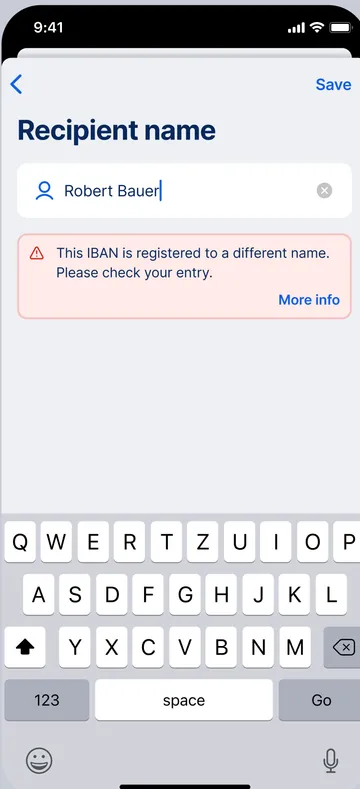
The IBAN is registered to a different name.
This is where you need to be extra careful. George will inform you that the name you entered does not match the name registered to the IBAN. It could be something harmless such as a nickname ("Mama"), or, in the worst case, you are about to send money to the wrong person. Due to banking confidentiality regulations, George cannot reveal the name registered to the IBAN you entered. If you get this result, here is what you should do:
→ Check IBAN and name for errors and completeness.
→ Ask the recipient to confirm their details.
→ If something doesn't feel right, cancel the payment. The bank may not provide a refund if your transfer goes to the wrong person.
The recipient bank cannot check if name and IBAN match.
George checked with the recipient bank but they couldn't confirm the recipient's verification status. For the kind of transfer you’re making, the Verification of Payee service is not supported. This can happen for a few reasons:
→ The recipient bank is not registered for the verification service.
→ You're making a non-SEPA transfer, e.g. in a different currency, to/from a country outside the SEPA area.
Please double-check the recipient’s details manually.
Sorry, I cannot check if name and IBAN match.
You'd see this message if the Verification of Payee service is temporarily unavailable. This can happen for a few reasons:
→ The recipient account is closed.
→ You're sending money to a savings account (or another account not used for payments).
→ The verification service is temporarily down.
→ There’s a technical issue on the recipient bank's side.
Please try again later, or double-check the recipient’s details manually.
Something to keep in mind: From now on, your details are checked by the Verification of Payee service every time you get a Euro transfer. Make sure to give the sender your full name as it appears in your account info. Alternatively, you can also send a payment request via QR code. That way, George fills out your information automatically and the sender doesn't have to enter your details.
The Verification of Payee service is available from early October, in line with the "Instant Payment Regulation". From then on, George will start checking recipient details with every SEPA transfer. If you see a warning, it doesn't always mean that something is wrong with the transfer. However, it's recommended that you check the recipient details (name & IBAN).
Of course you can send the transfer despite the warning, if you know that the IBAN belongs to the right person. But just to be safe, double-check the name and IBAN with the recipient.
The new regulation also brings changes to Instant Payments (SEPA). Starting 09 October 2025, Instant Payments (SEPA) are free of charge and unlimited by default. That is, you will be able to send as much as you want...unless you set a limit yourself.
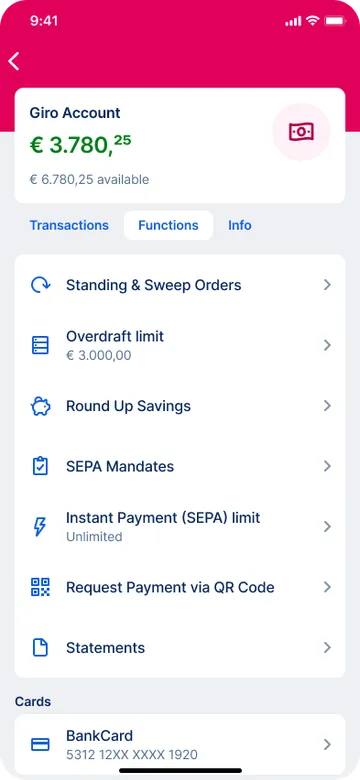
What it is:
The highest amount you can send using Instant Payments (SEPA) from a single account. You will be able to set a different limit for each account.
Why it helps:
Instant Payments (SEPA) are fast. Done-in-seconds fast. A limit provides an extra layer of protection to minimise loss. For example, in case you accidentally enter a higher amount than you wanted.
How it works:
Transfers will work just like before. That means you can activate the "Instant Payment (SEPA)" option for each SEPA transfer. The only difference is being able to set an Instant Payment (SEPA) limit by going to your current account settings. You can choose from two types: per transfer, or per day. The default is "Unlimited".
You're probably thinking of the daily signing limit, which is a bit different. This is the total you can transfer (SEPA or non-SEPA) from all your accounts.
Authors: Rebecca Stoll & Charles Wagner