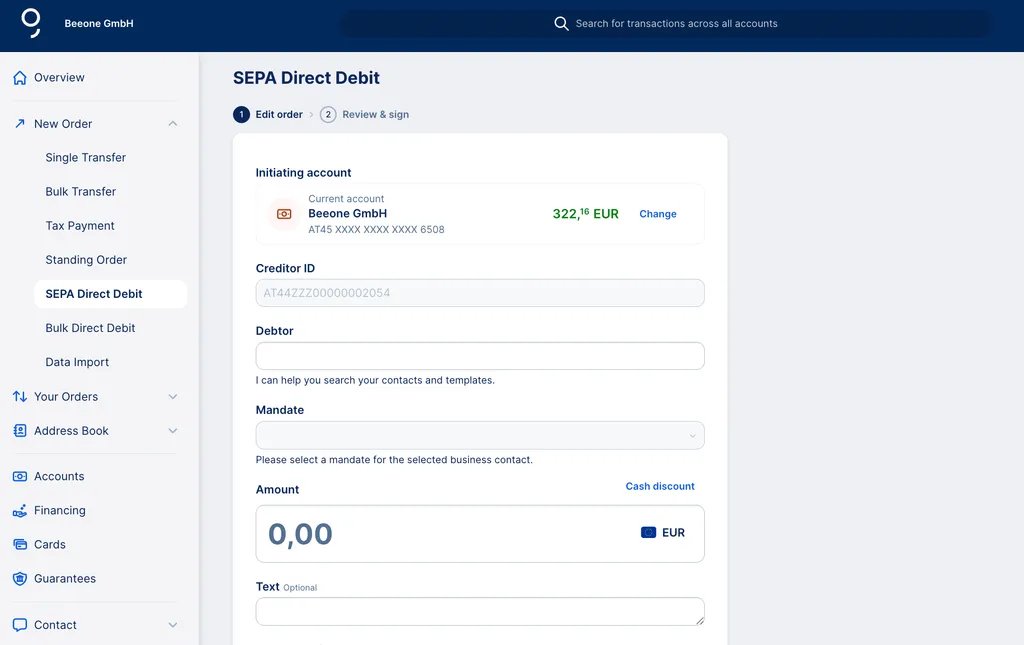
When it comes to SEPA direct debits, the form looks a little different from other forms that you can use with George. The following article explains how to create a SEPA direct debit.

Last Article Update 09.03.2026
When it comes to SEPA direct debits, the form looks a little different from other forms that you can use with George. The following article explains how to create a SEPA direct debit.
1. From your George Business overview, select "New Order" in the left-side menu.
Of course, you can also start a new order directly from one of your accounts or using the Feature Assistant.
2. Select "SEPA Direct Debit" from the dropdown menu.
3. Select the initiating account and debtor.
4. After adding the debtor, you can select the respective mandate. If you don't have mandates yet, you can create a new one by clicking on "+ New mandate" within the dropdown menu.
5. Enter the amount and - if you want - a text or payment reference, as well as a sender reference.
6. Select the due date.
7. By clicking on "More options", you can reveal further optional fields:
8. You can either save this direct debit, save it & create a new one or sign it right away.