In this article, you'll find out where to find your open orders, how to sign them and which signing methods George Business offers.

Last Article Update 11.05.2026
In this article, you'll find out where to find your open orders, how to sign them and which signing methods George Business offers.
George saves every order you save as an open order. Whether you sign right after creation or later, the steps are the same.
There are different ways to get to the order you want to sign.
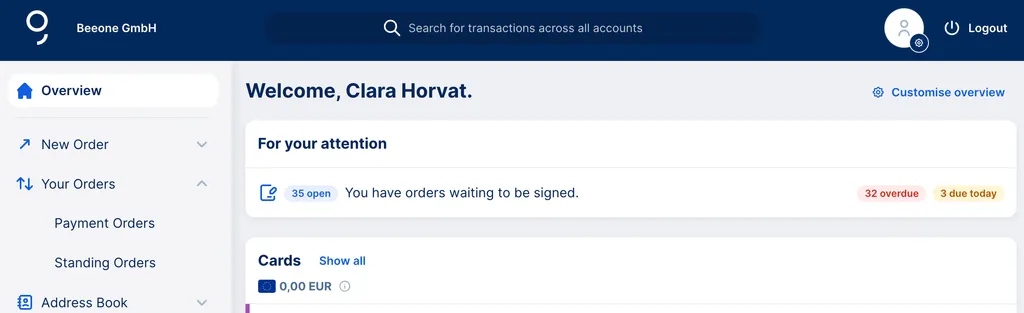
If you activated the "For your attention" widget on your overview page, George will remind you directly of orders that you can sign. Click on open orders to go directly to your signature folder.
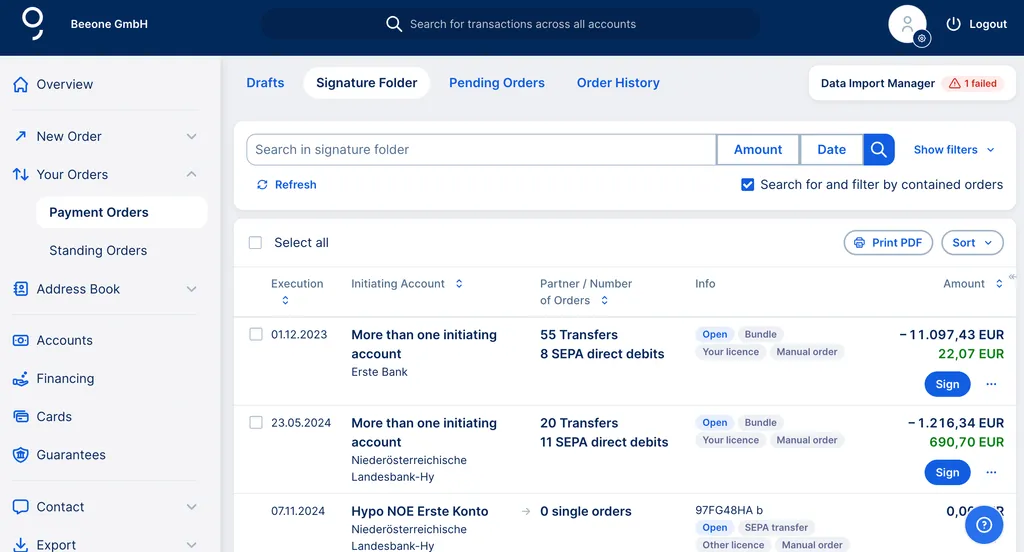
Go via the main menu on the left side of the overview page of George Business: You will find "Payment Orders" under the menu item "Your Orders". This button will take you to your signature folder.
You can of course sign an order right away after you create it. Or save it and sign later. It's up to you.
1. Click on "Sign" next to the order you want.
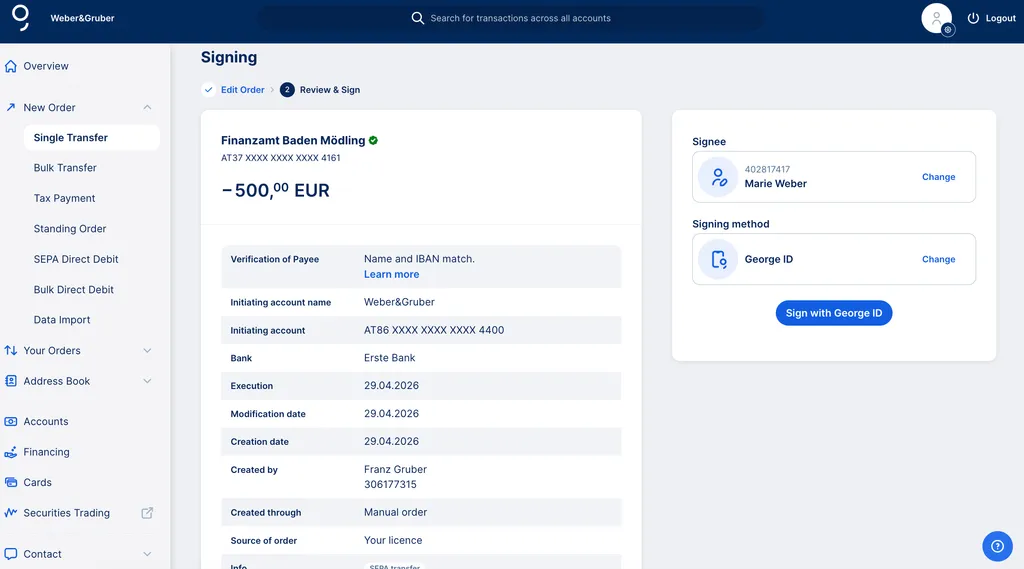
2. In the next step, you can check your transfer details once more and (if you have more than one) change your signing method.
3. Click on the button and sign as usual.
You can sign your open orders with George ID, s Identity, cardTAN or smsTAN.
After the first authorised signatory has signed, George checks whether all signatures required for execution have been made. In the case of collective signing, the second signature can now be executed. If all signatures are present, the order is processed immediately and stored in your order history.
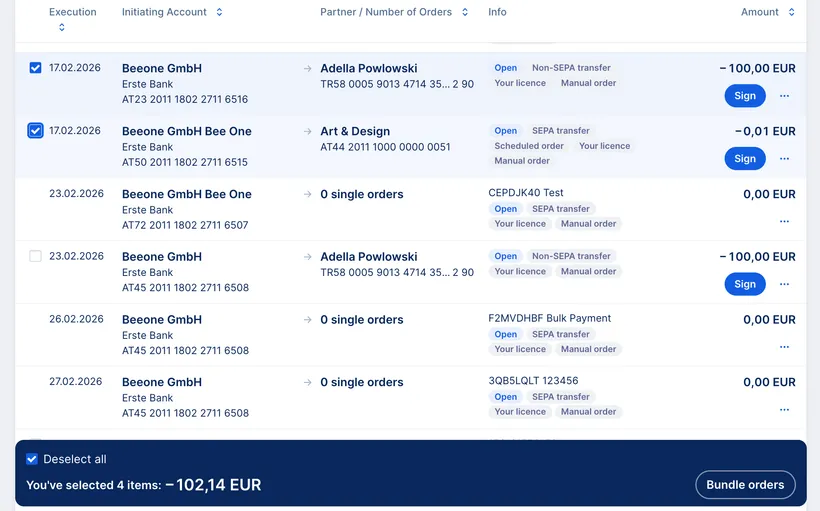
You can combine different payment orders into a "bundle" and sign them with one signature.
First, select the orders you'd like to sign together. Select at least 2 orders to create a bundle. You can then find the bundle in your signature folder, ready for signing.