Account statements show you all the activity in your account. You can also use them as proof. For example, if asked for financial information from authorities. Find out how to create, download and print statements.

Last Article Update 14.09.2026
Account statements show you all the activity in your account. You can also use them as proof. For example, if asked for financial information from authorities. Find out how to create, download and print statements.
In addition to single transactions, account statements also show you a total balance. This is the sum of all transactions in your account during the period.
An account statement always starts where the last one ended.
Example:
You last created an account statement on 25 October 2025. When you create a new one, it will cover the period from 26 October 2025 up to now.
George can only create a new statement if there are new transactions for the account.
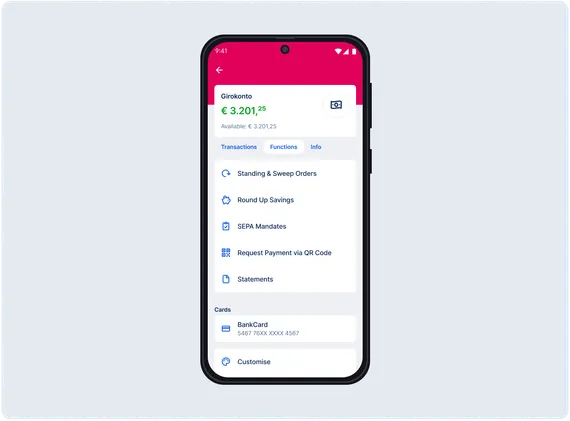
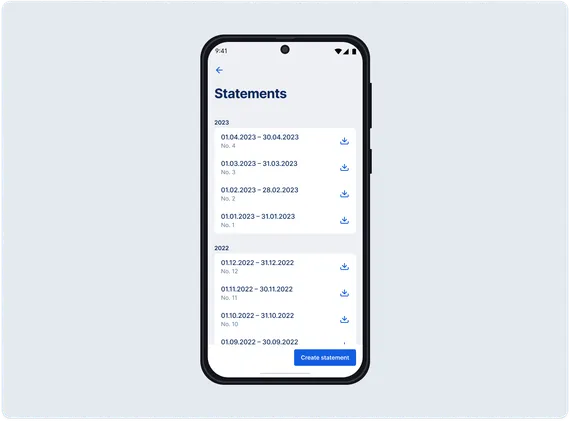
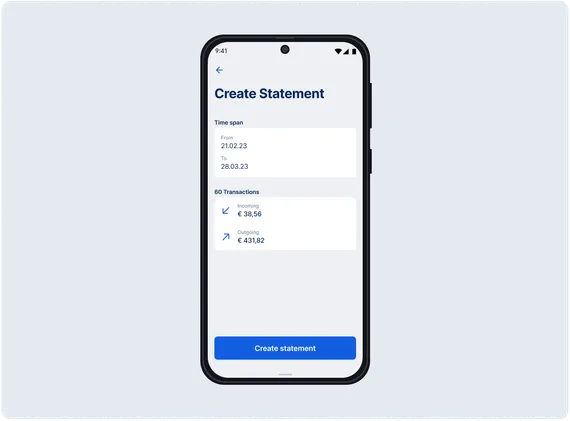
Your account statements are stored in "Statements", where you can access them any time.
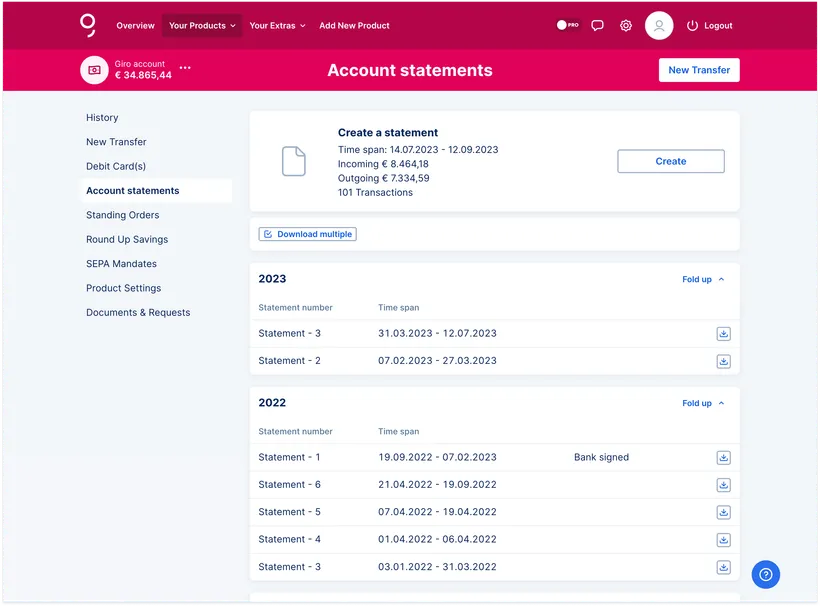
Your statements are stored in "Account Statements", where you can access them any time.
Whether right after creation or later, the steps are the same:
If you need to export account statements in XML or MT940 format, you can activate the free Data Import/Export plug-in.
Once activated, you can choose file formats and decide which accounts to use in the plug-in settings.
You can, of course, also use the Data Import/Export plug-in to upload payment files.
You can access account statements going 3 years back. Note that the 7 Year Plugin has no impact on this.
If you need older statements, please contact your advisor about statement duplicates. Depending on your account type, fees may apply for duplicates.
Some items don't show actual transactions, and don't change your account balance. They are just there to inform you.
The steps are similar to current accounts. From your savings account or loan overview, go to Functions.
The statements show you account balance and all incoming and outgoing transactions for the period.
Author: Charles Wagner