For more efficient banking, you can bundle several payment orders in a collection and sign them at once.
Bundle Signing
Last Article Update 21.04.2026

You can combine various payment orders addressed to the same financial institution in a so-called "bundle", and sign them with a single action.
To do so, select "Your orders" in the menu and then go to "Payment Orders". Then simply select the orders you want. You can bundle up to 100 packages.
Create a bundle
As soon as you select at least 2 entries from the list, you can create a new bundle using the "Bundle orders" option.
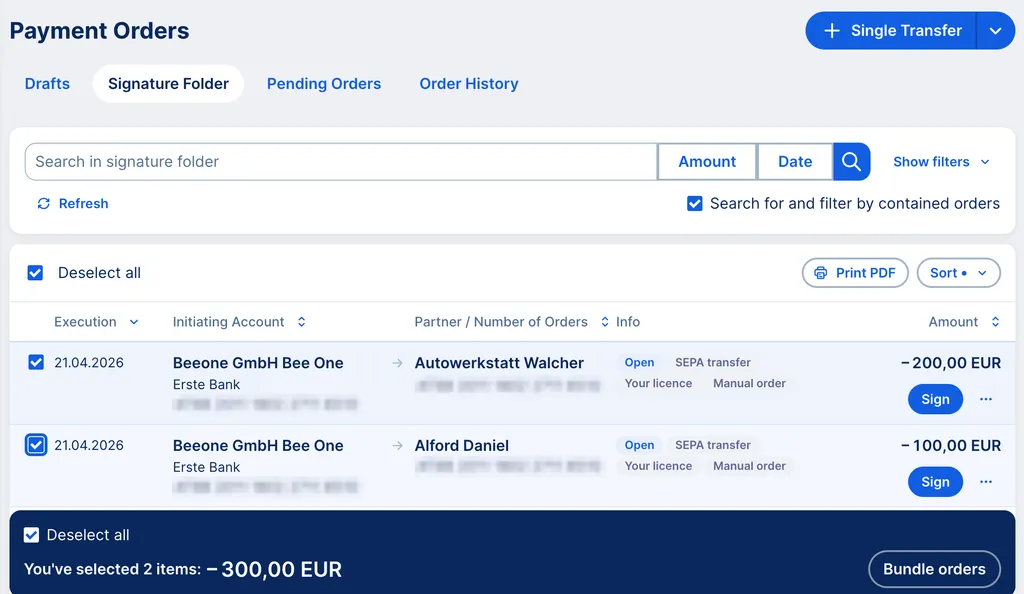
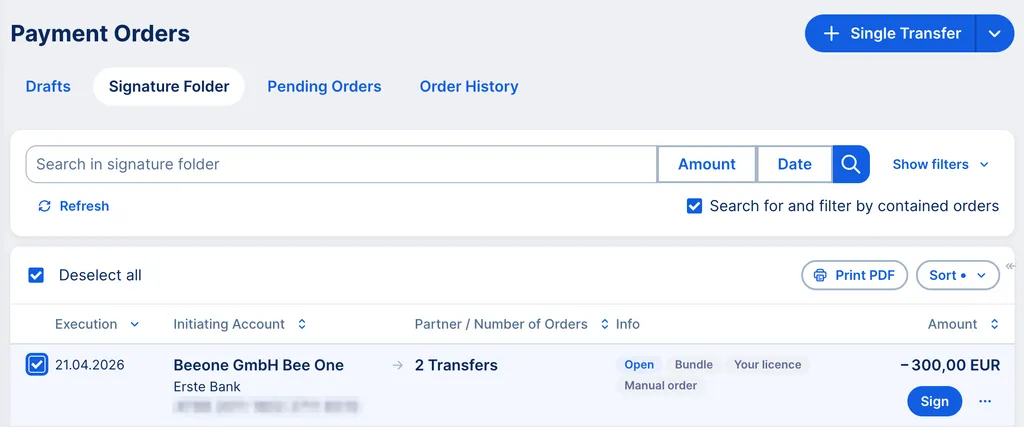
Once George creates the bundle, you will find this collection for approval in the signature folder. George will take you there directly so that you can approve the bundle in the following step.
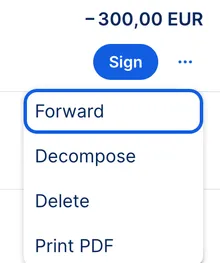
When you click on the 3 dots (...) to the right of the bundle, you'll see another selection. Here you can decide whether you want to send the bundle unsigned, decompose it, delete it, or print it.
Decomposing a bundle (bundled orders)
You can split an open bundle back into individual orders in a few steps.
- In the signature folder, click on the action menu (...) next to the order and choose "Decompose".
- Alternatively, you can also find this action in the detailed view of an order under the drop-down menu.
After clicking "Cancel", a pop-up will appear to confirm the process. The transaction is executed immediately after your confirmation.
Difference between a bulk transfer/direct debit bulk transfer and a bundle signing
A bulk transfer is an order type that makes it easier to enter many transactions from one account to many different beneficiaries.
Similarly, direct debit bulk transfers allow for many different debtors to a specific account. This is often used to efficiently execute multiple transfers to different recipients. If desired, each order can also be displayed as one booking line in the account statement. This is particularly useful for salary payments, where a large number of transactions are paid from one account and individual items should not be visible to unauthorised users.
With bundle signing, you can combine orders from different sender accounts, so long as the sender accounts lie within the same banking sector. For example, if your sender accounts are all with Erste Bank und Sparkasse, then they are all in the same banking sector. By bundling your orders, you can prepare them for signing by an authorised user and it becomes easier to check the transactions. The orders can then be signed in one step. You can also bundle several bulk transfers for bundle signing.
Author: Tamara Berger-Feichter