In case you want to combine amounts and information of your different accounts and cards, you can create summary cards for your overview. This can come in handy, in case you have different savings accounts and want to see how much savings you have in total. Or you could combine your giro account and your credit card to see how much money you have left to spend after the deduction. Try it for yourself via the George browser version and create summary cards that help you keep track of your finances.
Create Summary Cards
Last Article Update 10.03.2025
How to do it
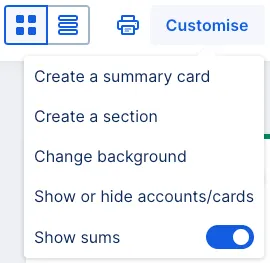
- Click the "Customise" Button on the right side of your overview.
- Go to "Create a summary card".
- The next screen then shows you all your accounts, cards and co.
- Choose the ones you want to summarise.
- Name your summary card.
- Click "Create" to finish.
- The summary card immeditely shows up in your overview and can be moved around just like all other items.

You can edit your summary card(s) anytime, delete them, rename them – or add more.
Author: Stephanie Schüller