Login to George in Your Web Browser

Last Article Update 30.01.2026

Want to access George in your web browser on your computer? No problem. Here's a step-by-step guide to get you started.

 

The app is your go-to for all things George. But you can also manage your money on a bigger screen. To get started with George in your browser, follow these steps.
1. Start in your browser

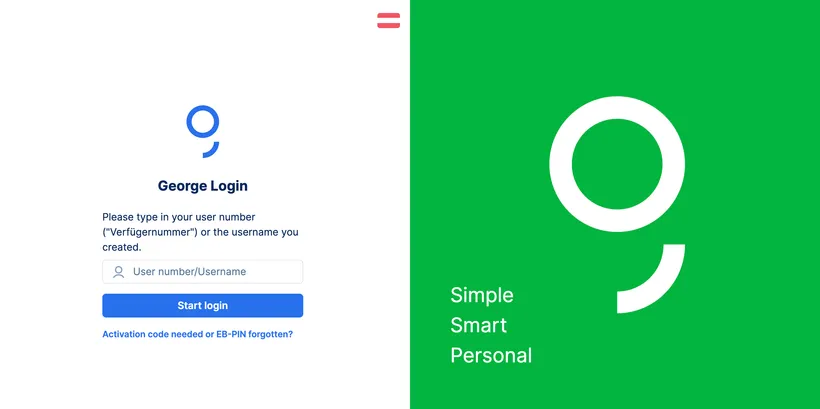
George web login page George web login page
 
  • Open your preferred browser (e.g. Chrome, Edge, Safari).
  • Go to the official George login page. And find out how to protect yourself against fake logins here
  • Enter your user number ("Verfügernummer"). You can also enter your username if you already set one up. Find out how to set one up here.
  • Click "Start login".
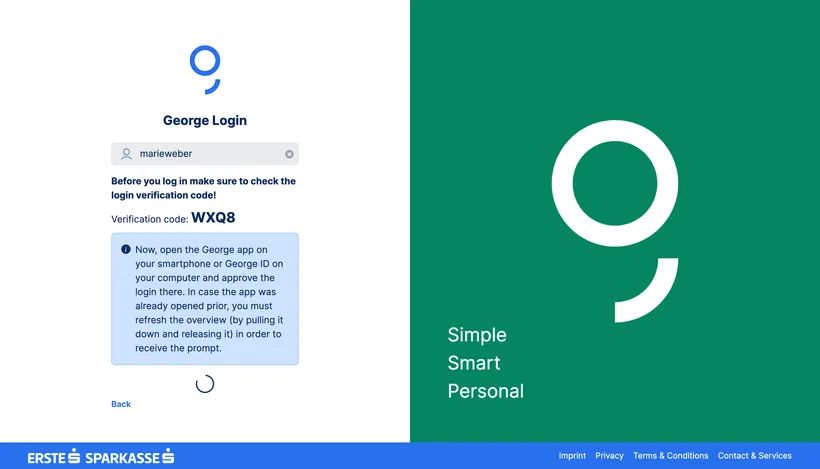
  • You will now see a 4-digit verification code.
George web login verification code George web login verification code

2. Now switch to your phone

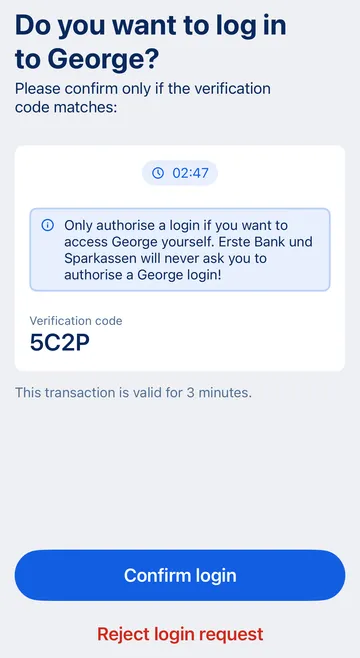
  • Open the George app to confirm the login. 
  • You should see the same 4-digit verification code. This is valid for 3 minutes.


George web login - mobile confirmation George web login - mobile confirmation
  • Already in the app? Go to your app overview and swipe down to see the confirmation screen.
  • Tap "Confirm login".
  • Sign as usual.

George confirms your login was successful. You can now close the app and continue on your computer.