From time to time, you will have to make payments to tax authorities too. With George, there's a simple way to do that.
Last Article Update 10.03.2026
From time to time, you will have to make payments to tax authorities too. With George, there's a simple way to do that.
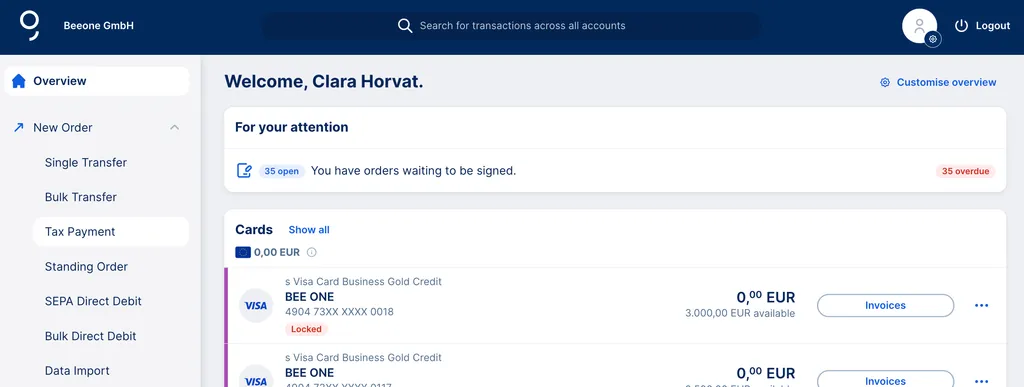
You can create a new tax authority payment either directly from your dashboard by clicking on the dropdown menu next to "New Order" and then "Tax Payment".
In your dashboard, you will find the menu item "New Order" on the left side of the screen. By clicking on the dropdown menu, you'll see "Tax Payment".
By clicking on "Tax Payment", you will be redirected to the payment form. You can select the initiating account by either keeping the one George displays, or by clicking on the "Change" button. Then, either type in a few letters to find the right account or select one of the accounts that George displays below the input field.
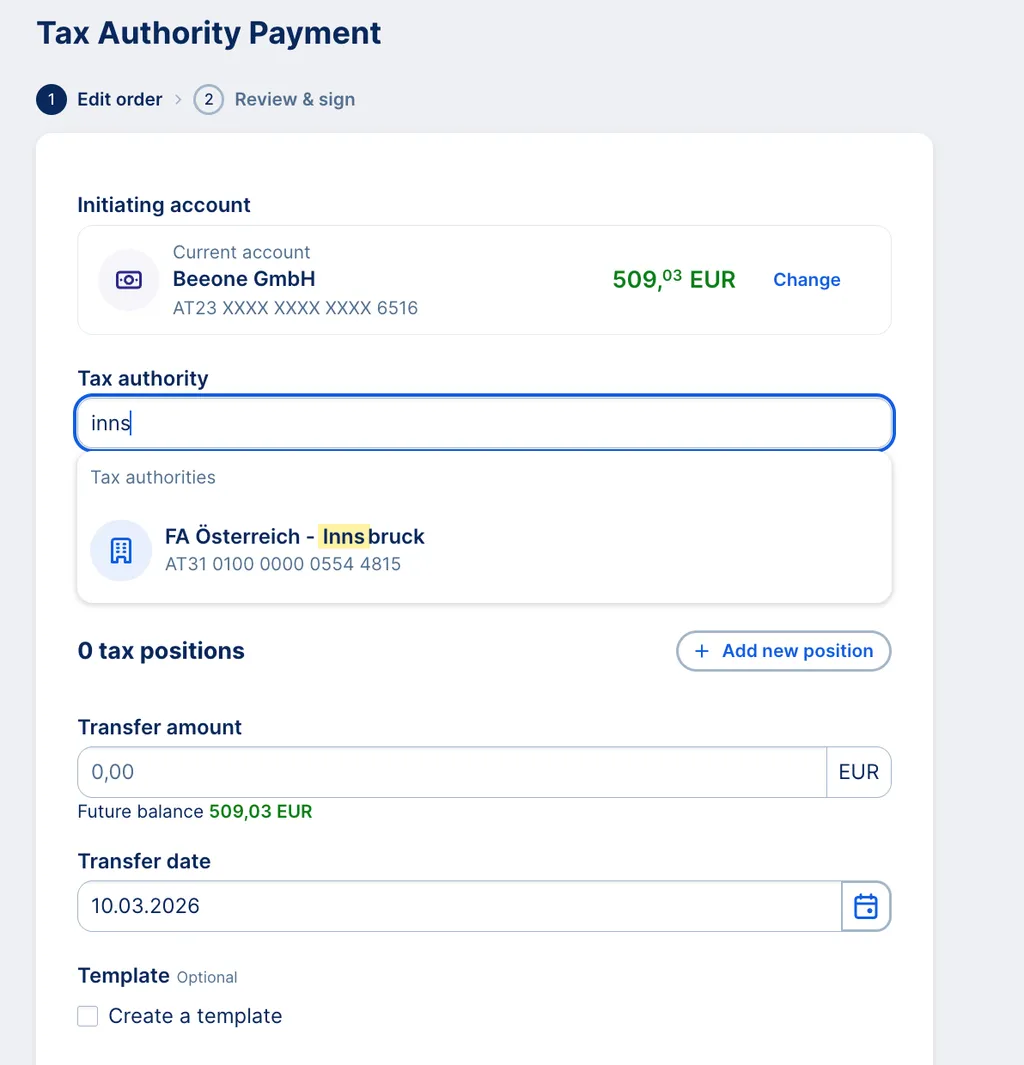
After selecting the correct account, you can select the tax authority that should receive your payment. The same goes here: you can either start typing the first letters of the respective tax authority or select one from those that George displays below the input field. Note: You can also select a template if you created one before.
In the next input field, you can enter the taxpayer ID. In Austria, this number usually has 9 digits. George selects the respective tax authority according to your tax payer ID. After that, you can select the date for the payment execution.
Last but not least: You must enter the amount that should be transferred to the tax authority. With George, you can add up to 7 tax positions. They will be summed up and transferred together.
After entering the details, you can either save the tax authority payment and sign it later, save it and create a new one or sign it right away.
After finishing your tax authority payment, you can see your order status by clicking on the menu item "Your Orders" and then "Payment Orders" in the menu on the left side of the screen.