Instant Payment (SEPA) Limit

Last Article Update 25.11.2025

Instant Payments (SEPA) let you transfer money fast, around the clock. That way, you get to decide exactly when to move your money. With the EU Instant Payments Regulation (IPR), active as of 09/10/2025, you can set an individual limit for Instant Payments (SEPA). This helps you stay on top of what goes out of your company accounts. 

 

Your Instant Payment (SEPA) limit is the most you can send - per day or transfer - from a single current account. This also means you can set different limits for each company account. 


It adds a layer of protection to the flexibility of Instant Payments (SEPA). 


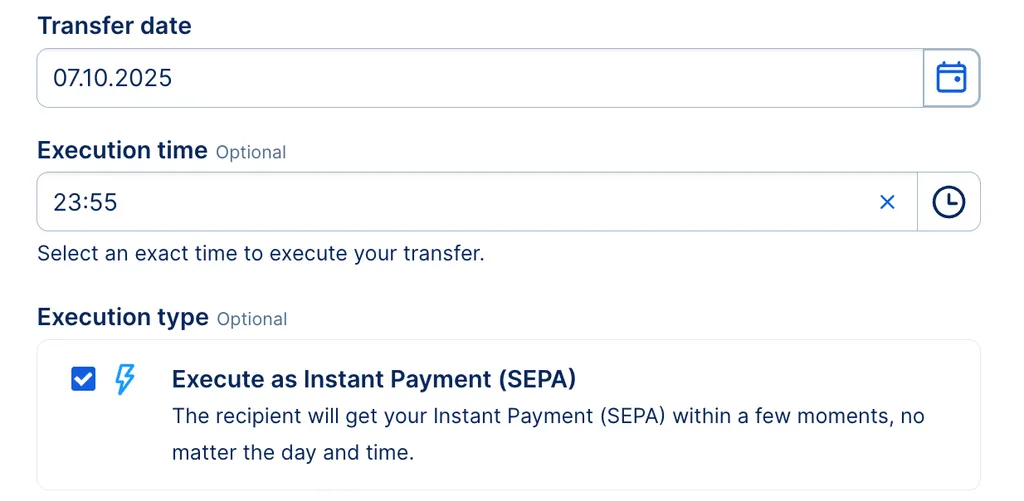
This limit applies to all transfers you actively make as Instant Payments (SEPA). That includes standing orders, sweep orders and own transfers.


Instant Payment SEPA checkbox Instant Payment SEPA checkbox

How to set limits for company accounts

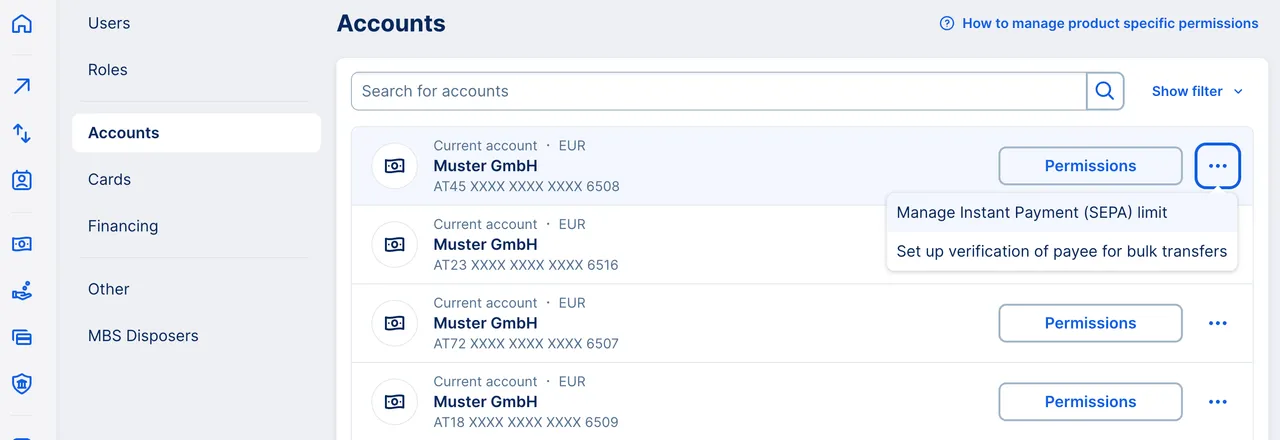
Instant Payment SEPA Limit - Permissions Instant Payment SEPA Limit - Permissions


To start, go to your User Profile and click Permissions. Then, in the left side menu, choose Accounts.


Now you have two options:


  1. To just change the limit, click the three dots (...) next to the account you want.
  2. To also edit permissions for roles and users, click the "Permissions" button, then the three dots (...) on the new page. 
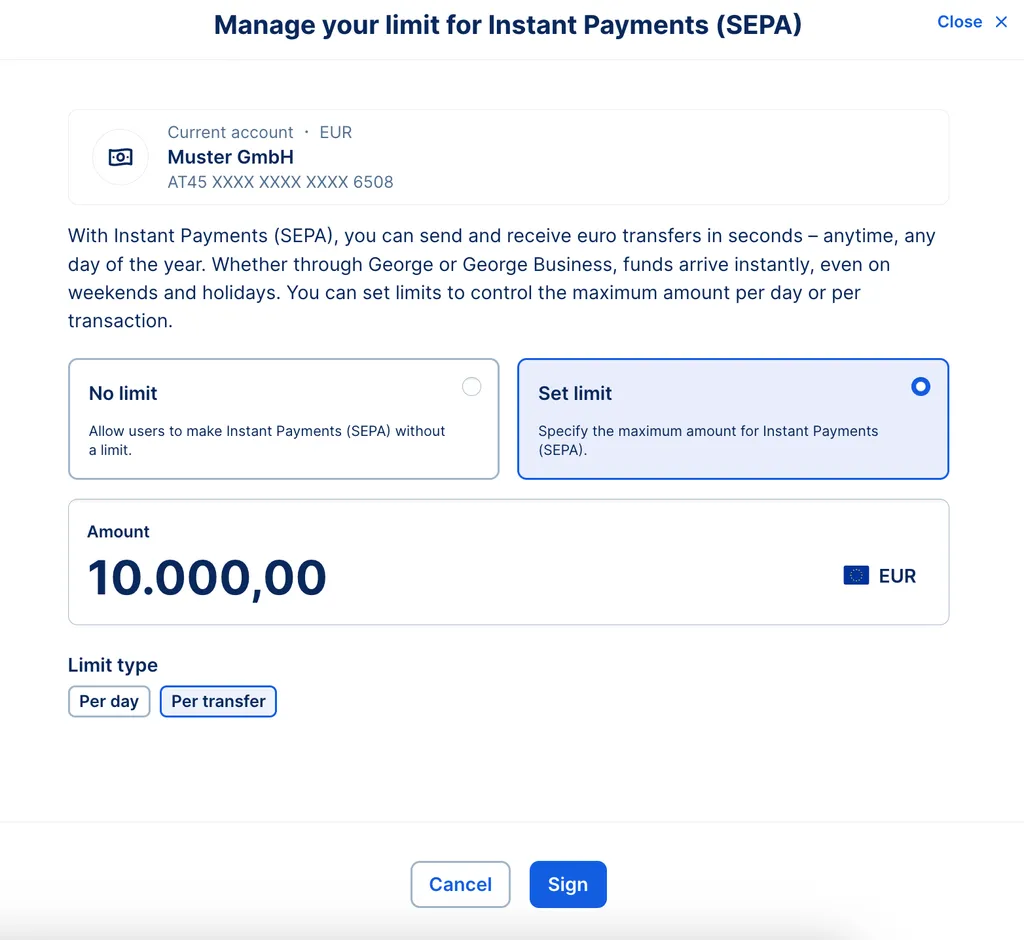
Limit types and setup - Instant Payment SEPA Limit types and setup - Instant Payment SEPA

The remaining steps are the same for both options.

  • Select "Set limit". 
  • Enter an amount and choose a limit type: Per day or per transfer.
  • Click "Sign" and sign as usual.


The new limit is active right away for all authorised users. You can make changes any time you want. 

Limit types

There are two types of limit you can set for an account:


  • Per day helps control overall spending from an account. 
  • Per transfer helps avoid making too large payments in one go.


It's up to you to decide what works best for your business. You can also mix and match, using different limit types for different accounts.

This limit naturally has no impact on any of your other limits, such as daily signing limit.

Multibanking & Limits

You can only change limits for accounts with Erste Bank und Sparkasse with George Business.


For connected accounts, you can find out more information from your other bank(s).

Author: Charles Wagner